HookHub Icon

HookHub

A distributed real-time communication platform for services using ASP.NET Core and SignalR — reliable bidirectional messaging between connected "hooks."

Enable seamless inter-service communication, event routing, and real-time dashboards with minimal configuration.
Key Features

🔗

Reliable Messaging

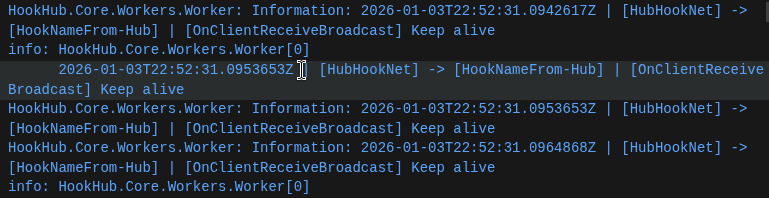
Built on ASP.NET Core SignalR, HookHub enables robust WebSocket and Long Polling support with automatic reconnection and keep-alive mechanisms.

Messaging Screenshot Placeholder
🏢

Central Hub Routing

Multiple services (Hooks) connect to a central Hub for bidirectional communication and real-time message broadcasting.

Routing Screenshot Placeholder
📊

Management API & Dashboard

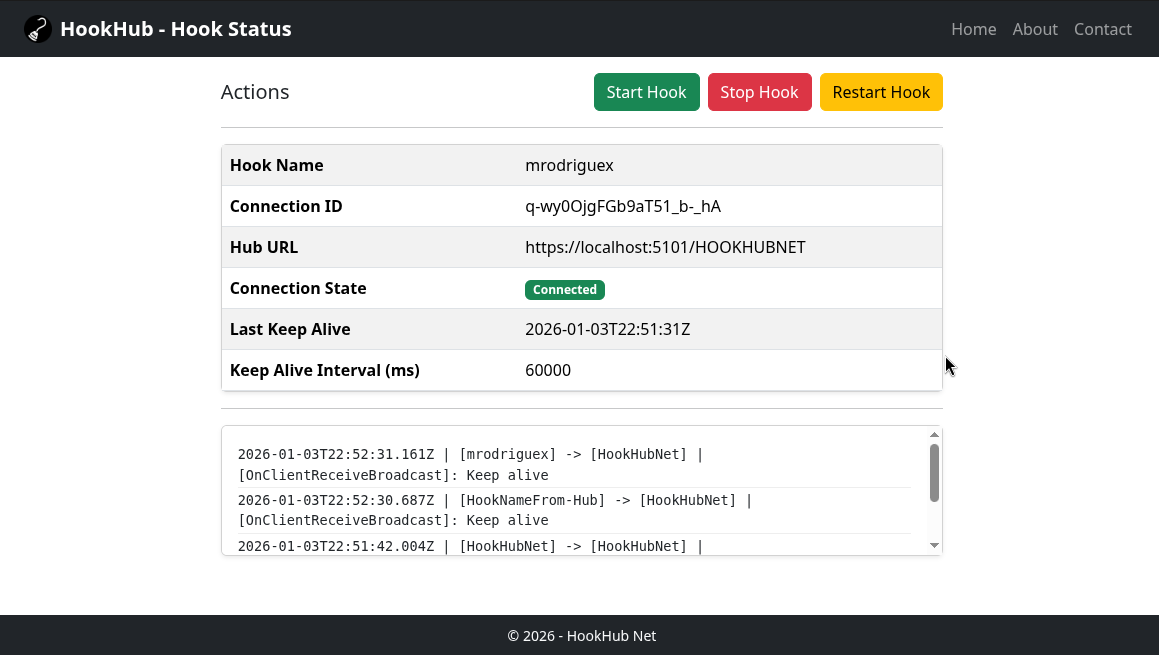
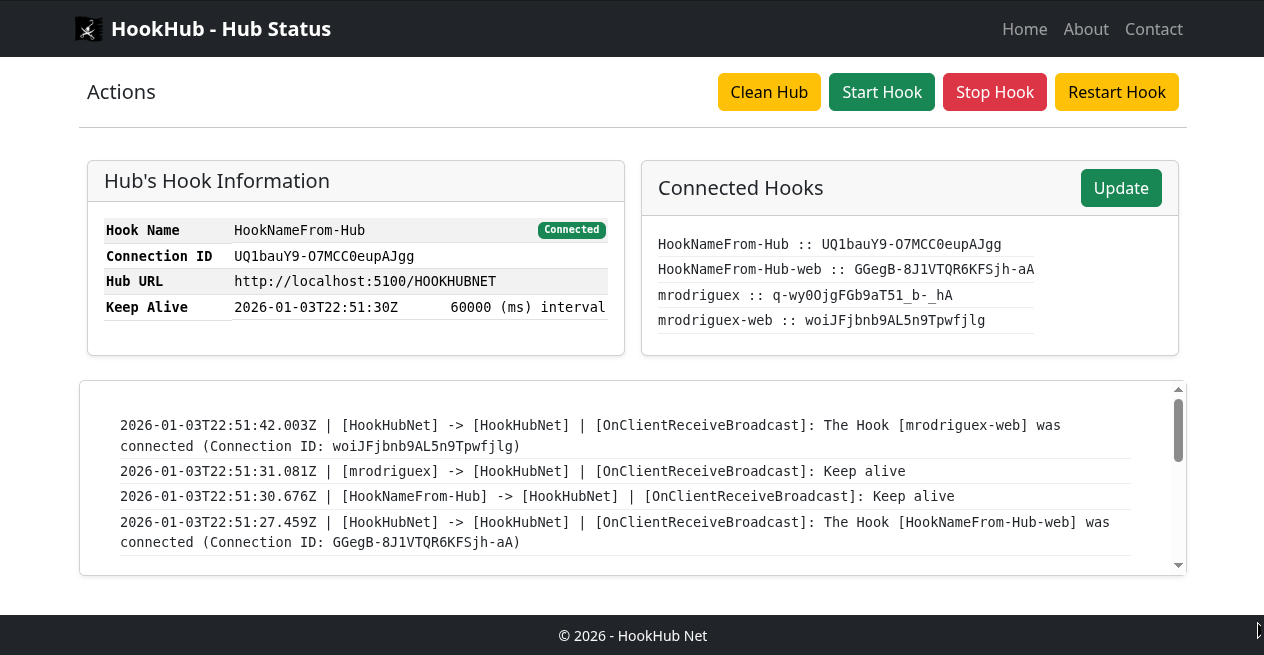
Includes REST API endpoints for hook management and a web UI to view active connections and send test messages.

Dashboard Screenshot Placeholder

Use Cases & Examples

Inter-Service Communication

Enable microservices to communicate in real-time without direct dependencies.

// Example: Send message from one hook to another
await hubConnection.InvokeAsync("SendToHook", "targetHookId", message);

Event Routing

Route events across distributed systems for processing and notifications.

// Broadcast event to all connected hooks
await hubConnection.InvokeAsync("BroadcastMessage", eventData);

Real-Time Dashboards

Update dashboards instantly as data flows through your system.

// Receive updates in real-time
hubConnection.On("ReceiveMessage", (message) => {
  updateDashboard(message);
});

API Proxy & Integration

Proxy HTTP requests to connected hooks for seamless API integration.

# Get hook status
GET /Proxy/HookClientName/http://localhost:5200/hook/index

# Post data to hook
POST /Proxy/HookClientName/http://localhost:5200/api/data
Content-Type: application/json
{
  "key": "value"
}

Postman API Testing

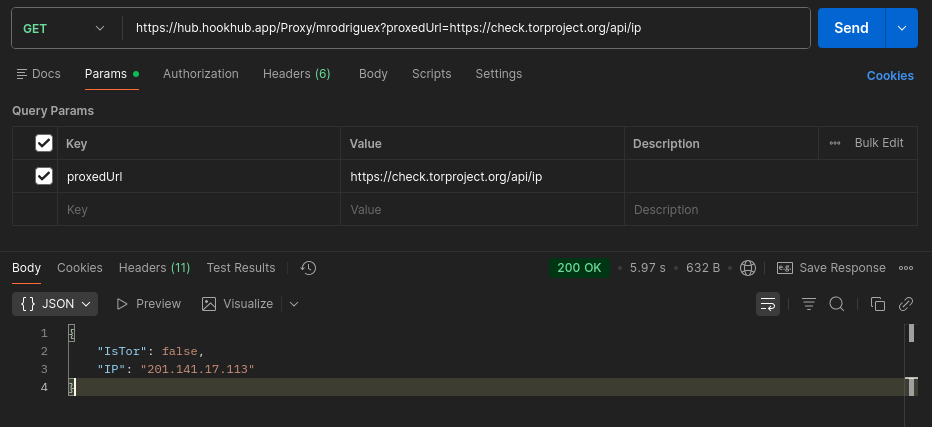
Test HookHub's proxy functionality directly with Postman or any HTTP client. This example demonstrates how to proxy requests through the live HookHub instance.

GET https://hub.hookhub.app/Proxy/mrodriguex?proxedUrl=https://check.torproject.org/api/ip
Postman API Testing Example

Architecture Overview

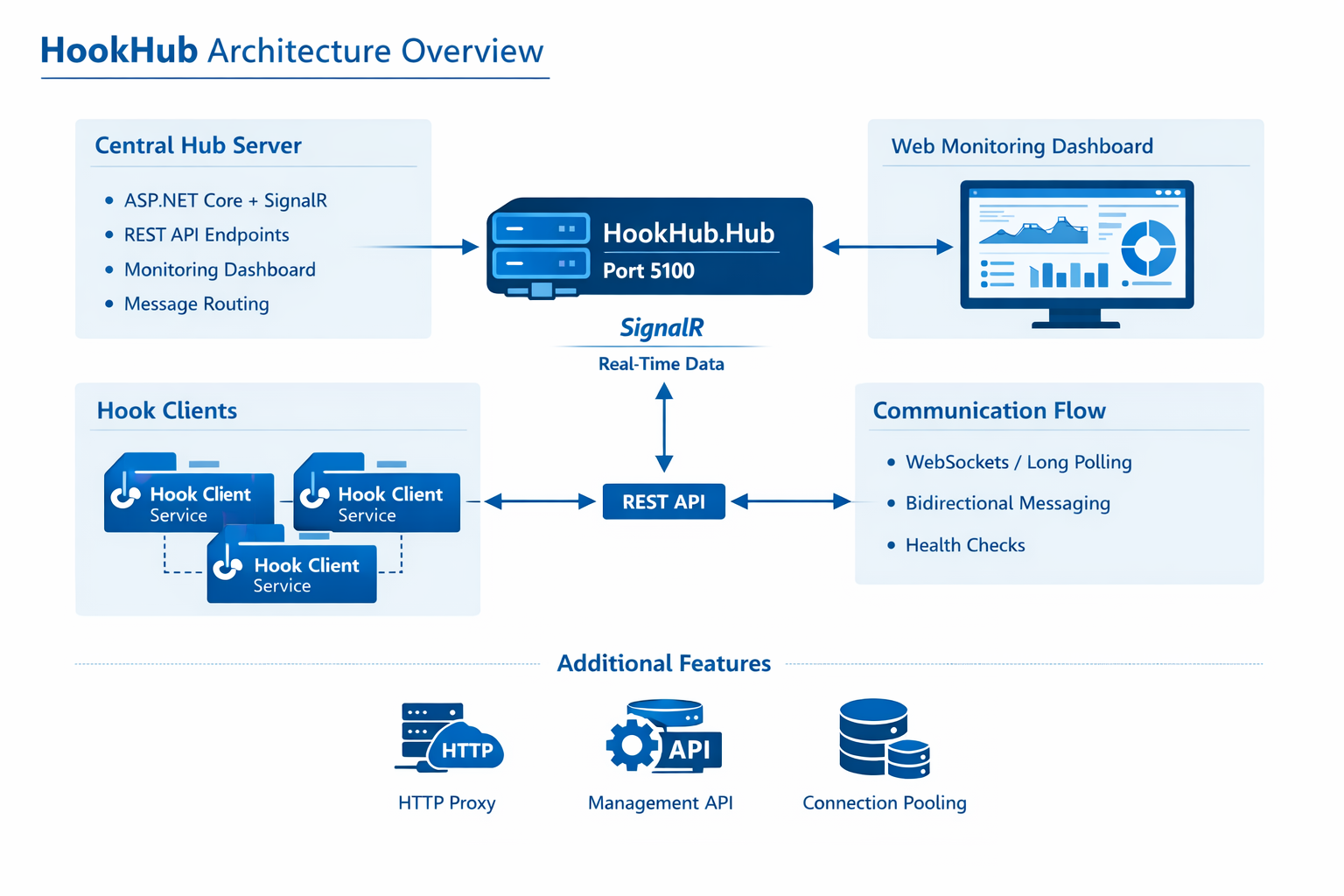
HookHub consists of a central Hub server that maintains persistent connections with multiple Hook clients. Messages are routed bidirectionally, ensuring reliable communication.

Architecture Diagram Placeholder

Get Started

Follow these simple steps to get HookHub running on your system and start building real-time distributed applications.

Prerequisites

Before you begin, ensure you have:

  • .NET SDK 10.0 or later - Download from microsoft.com
  • Git - For cloning the repository
  • Web browser - To access the dashboard and test interfaces
  • Ports 5100 and 5200 - Must be available on your system

Step-by-Step Setup

1
Clone the Repository

Open your terminal and clone the HookHub repository from GitHub.

git clone https://github.com/mrodriguex/hookhub.git
cd hookhub

This downloads all the source code and project files to your local machine.

2
Restore Dependencies

Install all required NuGet packages and dependencies.

dotnet restore

This may take a minute as it downloads all the necessary libraries from NuGet.

3
Build the Project

Compile the source code to ensure everything is working correctly.

dotnet build

If successful, you'll see "Build succeeded" in your terminal.

4
Run the Hub Server

Start the central Hub server that will manage all connections.

dotnet run --project HookHub.Hub

The server will start on http://localhost:5100. Keep this terminal running.

5
Start a Hook Client (Optional)

In a new terminal, start a hook client to test the connection.

# In a new terminal window
cd hookhub
dotnet run --project HookHub.Hook

This starts a sample hook service on port 5200 that connects to the hub.

Using HookHub

Access the Dashboard

Open your web browser and navigate to the management dashboard.

http://localhost:5100/hub/index

Here you can monitor connected hooks, send test messages, and view connection status.

Test Real-Time Communication

Try the interactive testing page to see messages flow between hooks.

http://localhost:5100/indexTesting.html

This page shows multiple instances for testing bidirectional messaging.

Next Steps

Now that HookHub is running, explore the code, customize configurations, or start building your own hooks!

⭐ Star on GitHub